 Cajista
From the shutter to paper, without friction.
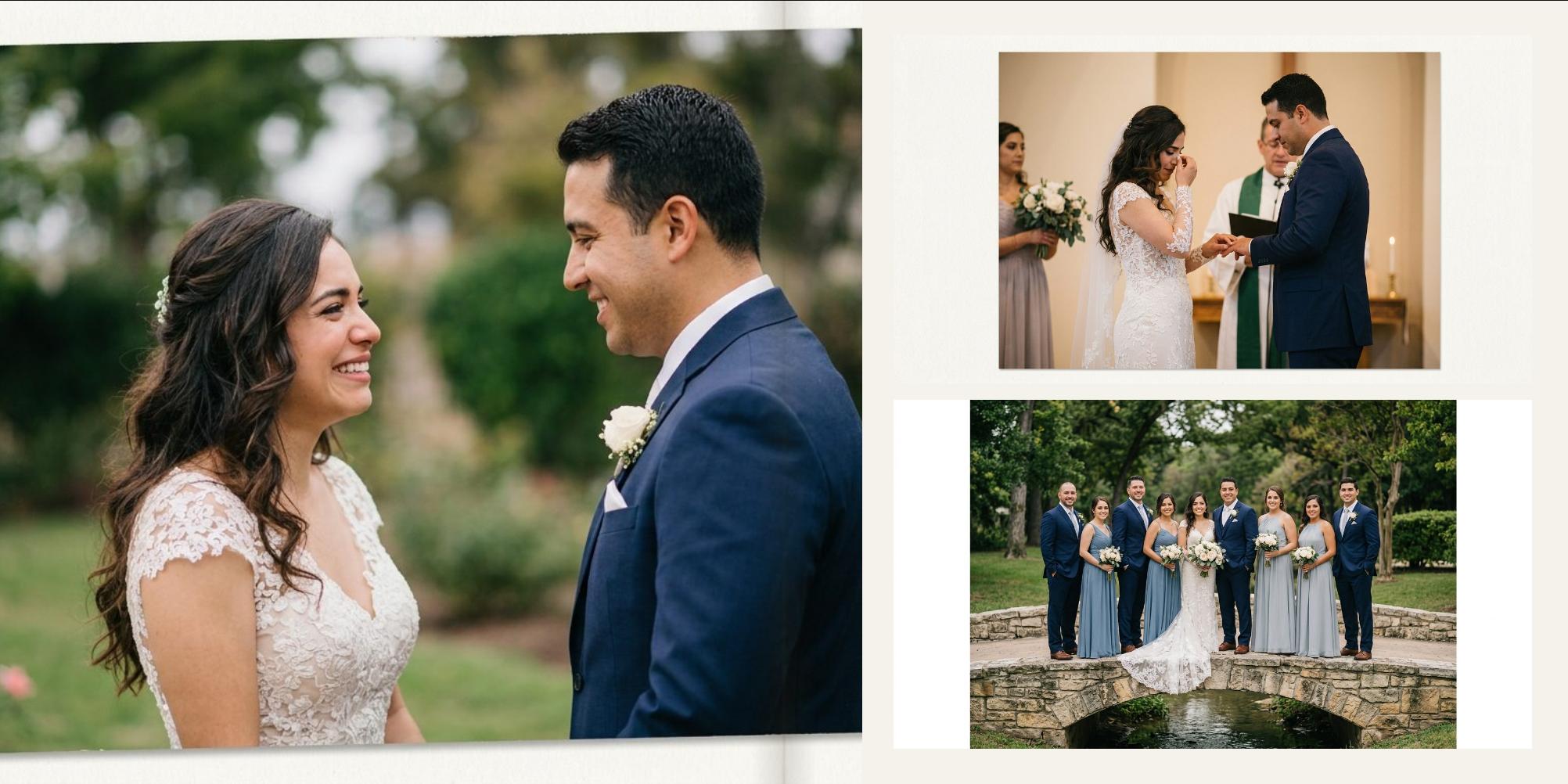
Import the session, star your favourites and let the engine compose the spreads. Then fine-tune every page and export it ready for print.
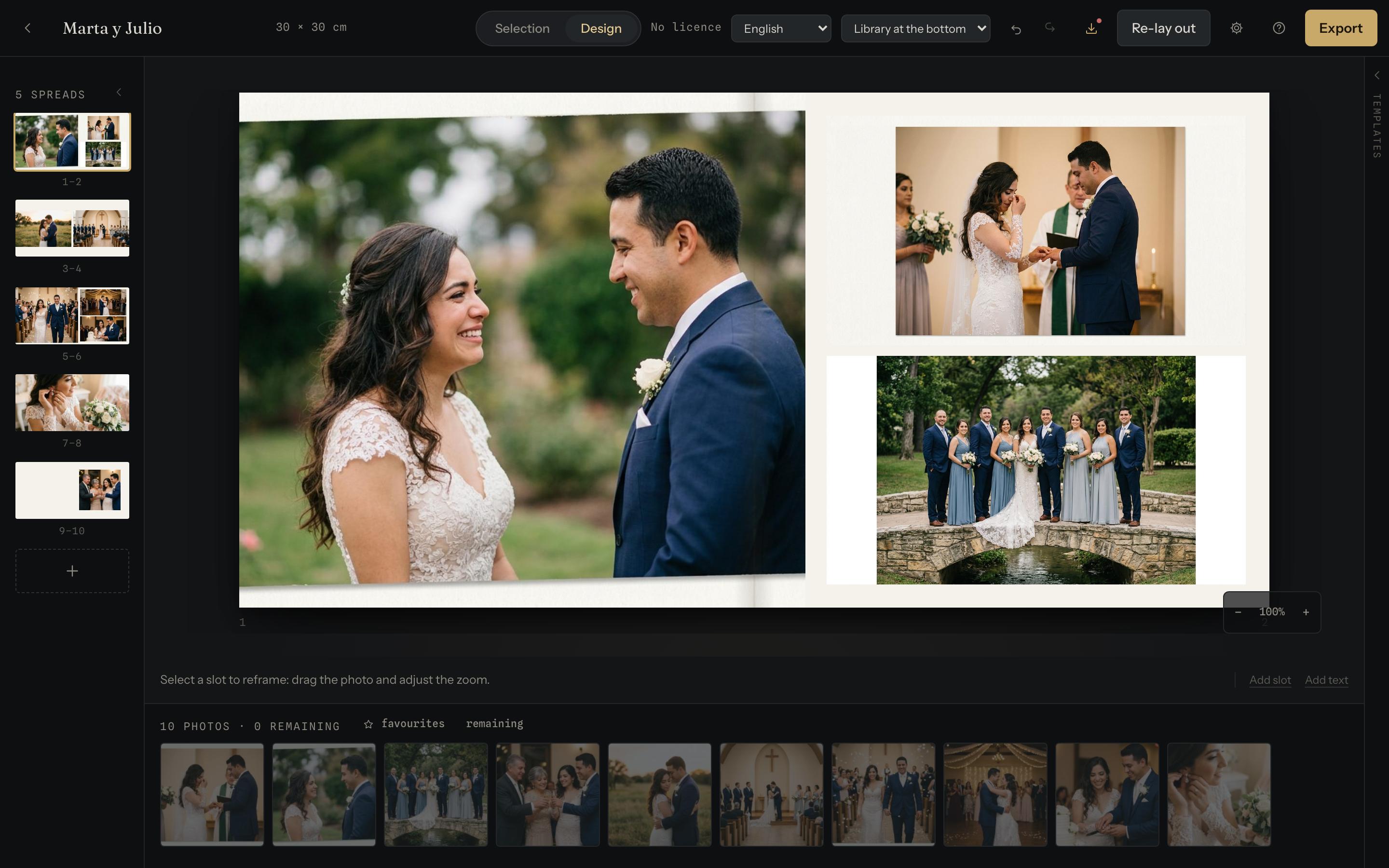
Your photos never leave your computer
This isn't a promise buried in a privacy policy: it's how the thing is built. Cajista runs entirely inside your browser. There is no upload, no account, no server holding your clients' weddings or events. What you import stays on your machine, and it is exported from your machine.
What it does
The day sorts itself out
It reads the capture time of every file and groups the session on its own: getting ready, ceremony, reception. You star and discard at a glance — several at once, too — and when the clock is wrong you reassign a photo and your judgement wins.
Selection view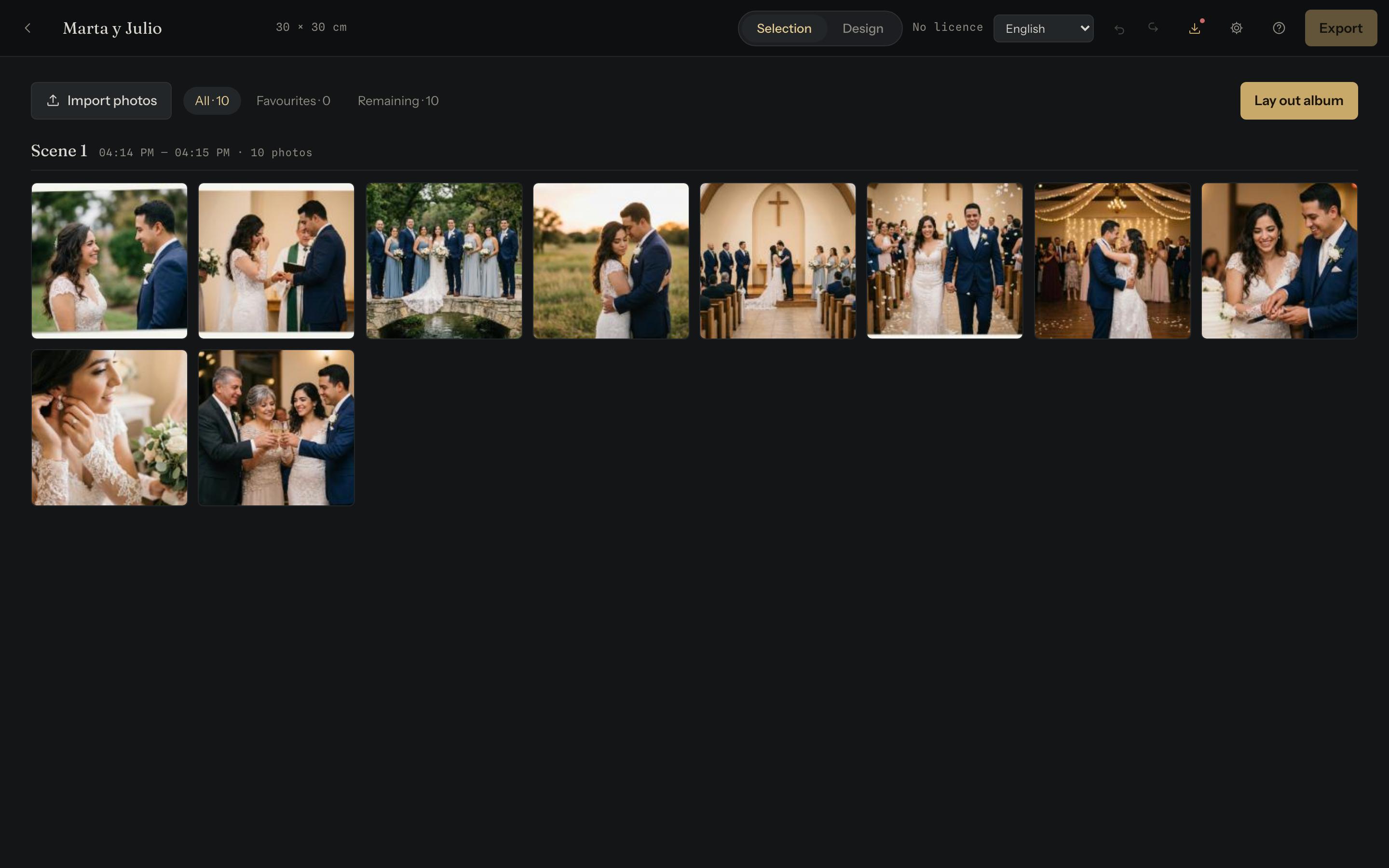
Twenty-eight compositions competing
For each group of photos, the template that crops them least wins — and it won't repeat the previous spread's. You can change it afterwards without losing the work, and save a spread of your own as a template for every album.
Template panel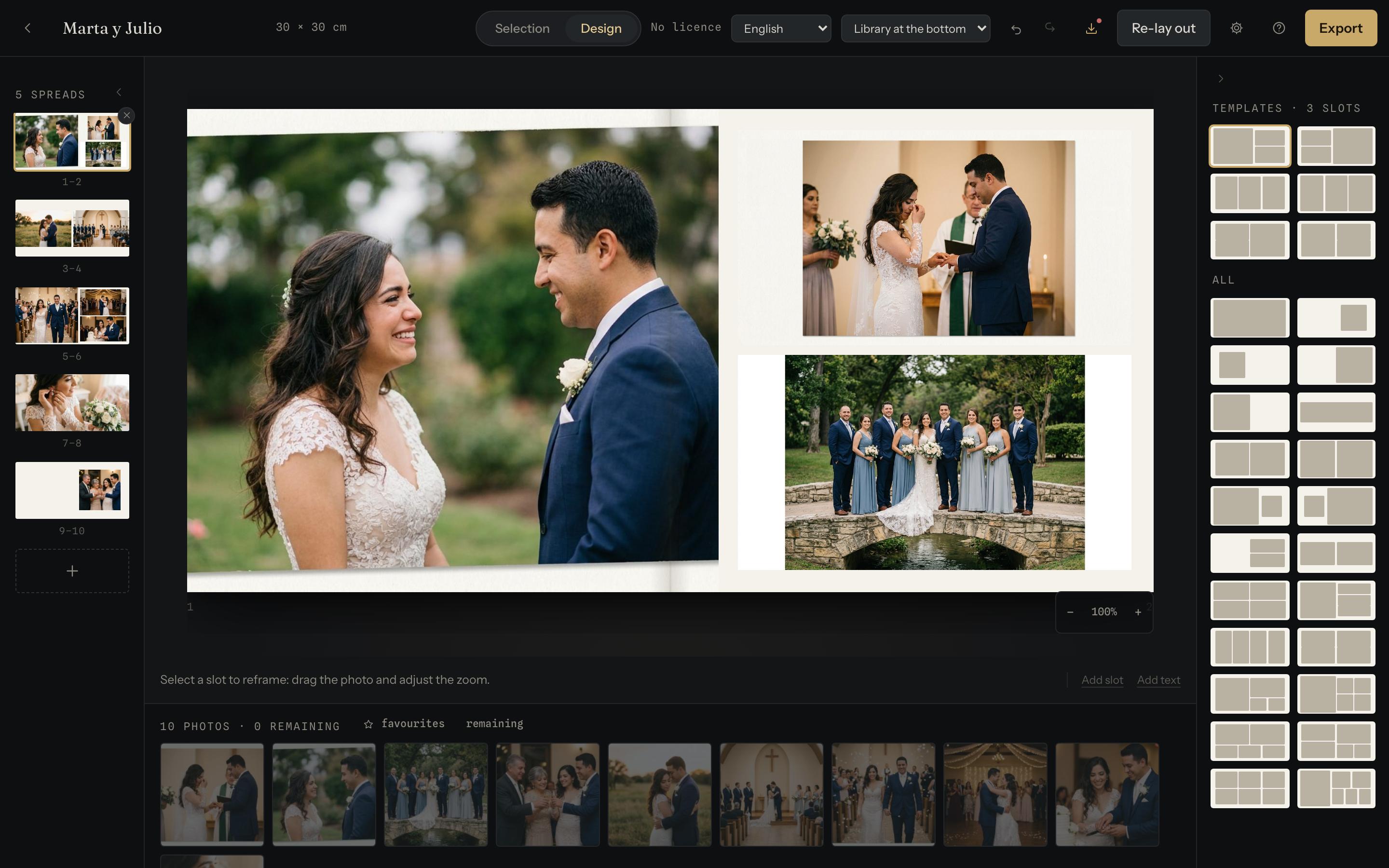
Two destinations, one button
Full-size JPG, with bleed and an embedded sRGB profile, the way the lab asks for it. Or a light PDF for the couple to review. You pick what it's for and the rest follows; if you want to touch it, it's right underneath.
Export dialog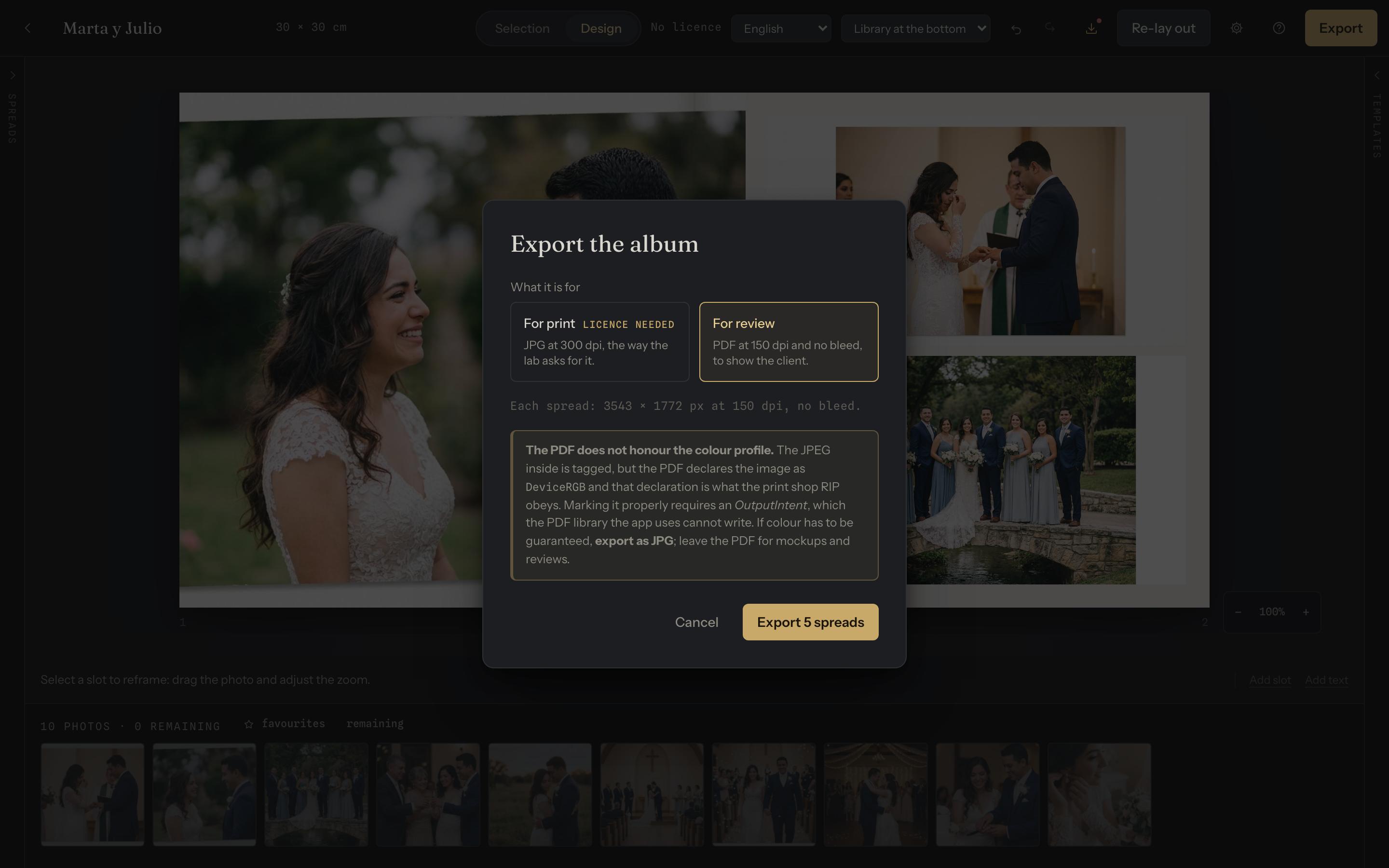
Real fine-tuning
Framing, zoom and the size of every slot, with the mouse or the keyboard. You can add and remove slots from a spread, beyond the ones in its template, and place text — a title, a caption, a dedication — with its font, size, colour, italics and bold, printed exactly as you see it.
Resolution warnings
It tells you how many dots per inch each photo will print at in its slot, cropping included, before the lab is the one to find out.
Backups
A whole album — photos and all — in one file you can keep wherever you want and open on another computer.
How it goes
-
You create the album with its measurements Size, bleed — per axis too, if your lab asks for it —, safe zone and resolution.
-
You import the session and star favourites Cajista reads the EXIF and orders the day by capture time.
-
You lay it out in one go The engine proposes the spreads; you fix whatever doesn't convince you.
-
You export PDF for approval, full-size JPG for the lab.
Free until you deliver
All the work is free and unlimited: importing, selecting, laying out, adjusting, your own templates and the export your client reviews. You only pay for the file that goes to the lab. You can build an event or an entire wedding before deciding whether it's worth it.